 Tieddr Pro Screen
Looking for a Screen Studio alternative on Windows?
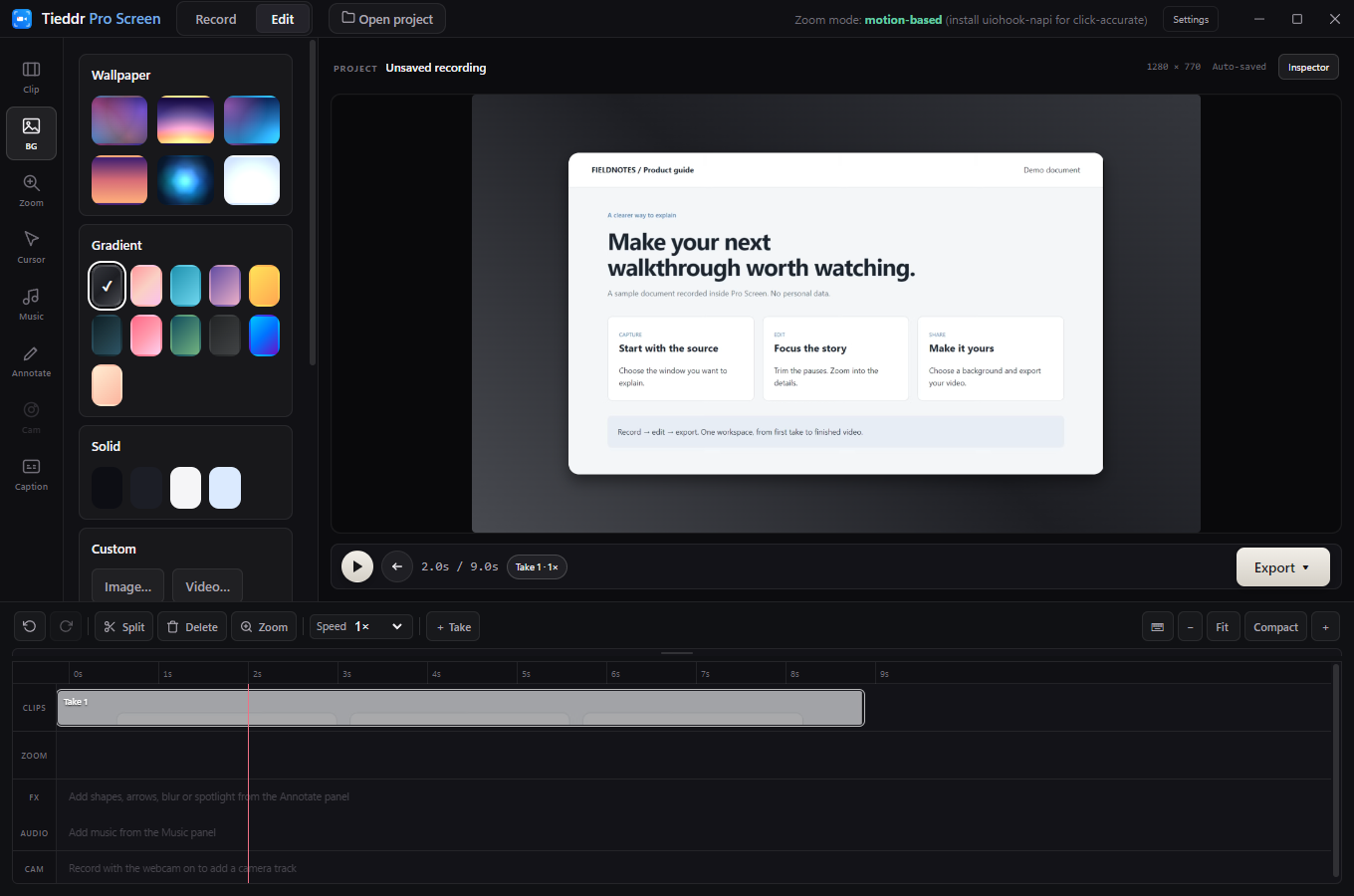
Screen Studio’s published system requirements describe a macOS app. If your work is on Windows, Pro Screen offers a record-then-edit workflow with a timeline, adjustable zooms, backgrounds, and annotations.
This is not a claim of feature parity. Compare the current installer and your own test recording, not only the website screenshots.
What to evaluate in Pro Screen
| Your requirement | What to check |
|---|---|
| Record on Windows | Use the 64-bit Windows 10 / 11 installer and test the applications you need to capture. |
| Editable focus | Add zoom blocks and change their timing and focus. Automatic suggestions depend on captured cursor/click data. |
| Trim without another editor | Split a take, delete unwanted sections, and inspect the joins on the timeline. |
| Presentation controls | Try backgrounds and annotations in the actual app demonstrations. |
| Usable output | Export a short sample and inspect detail, sound, cursor behavior, and playback in your destination player. |
Important differences and limits
The listed Pro Screen download is free and requires no account. Its current MSI is unsigned and may trigger download or Windows warnings. The website shows a development build, which may be ahead of the published installer. There is no supported Pro Screen macOS or Linux download here yet.
Desktop recording and editing run locally. Music browsing, caption-model downloads, update checks, and the iPhone browser-camera connection use online services. Read the privacy policy rather than assuming every optional feature is offline.
A practical comparison test
- Record the same short workflow you will actually publish.
- Include small text, a menu, and any microphone or camera you need.
- Make one cut and one zoom, then export at your intended resolution.
- Watch the result on another screen. Compare readability and editing effort, not just the number of features listed.
Where to go next
Use the Windows recording guide for setup, or read how editable zoom works. Check the release details before downloading.